This page covers reviewing your usage against your license and sending usage declarations to Octopus, automatically or manually.
Review your subscription’s usage
Review your usage to see how your instance compares with your licensed entitlements.
To review your usage:
- In the Octopus Web Portal, select Configuration > Usage.
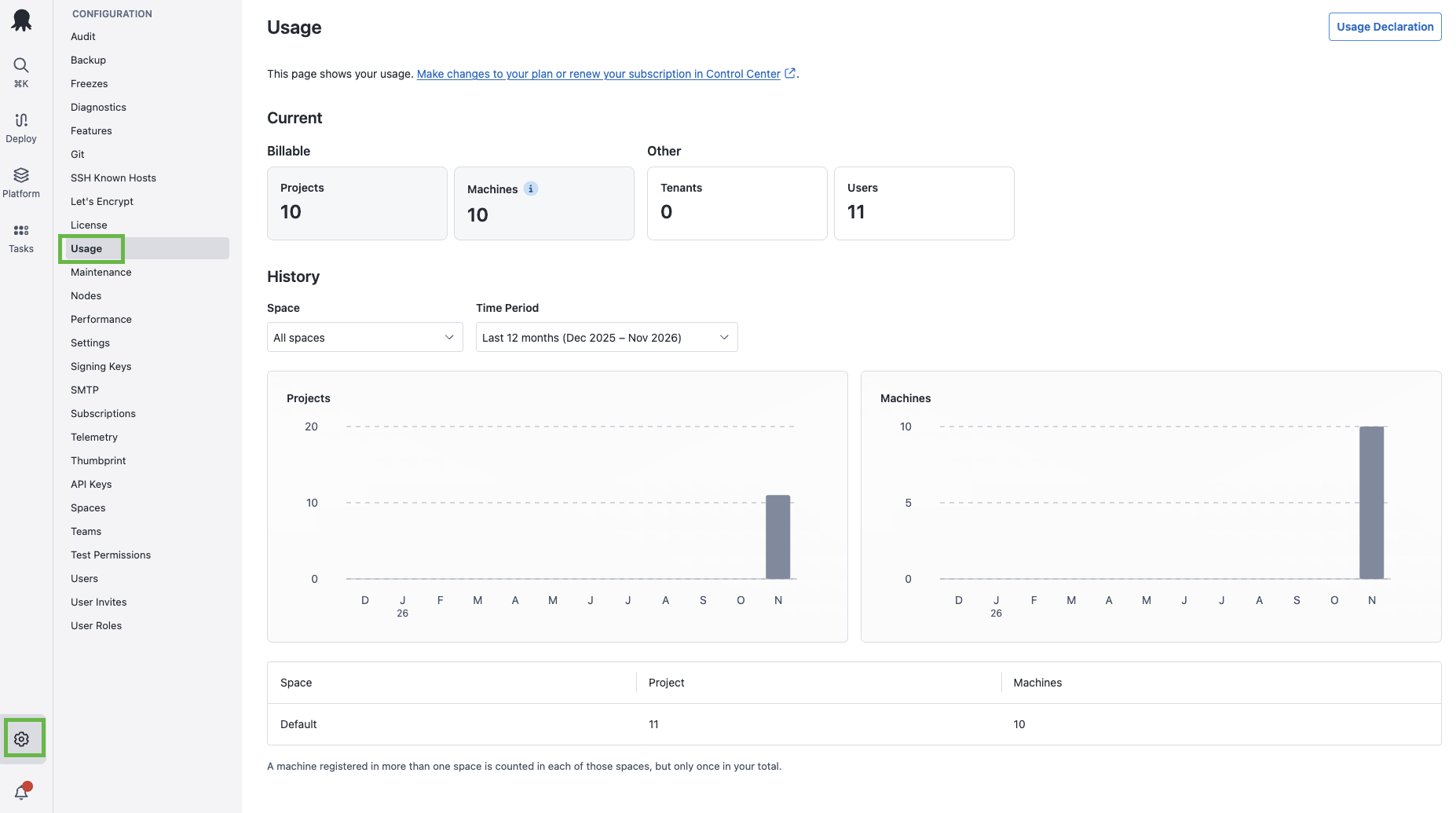
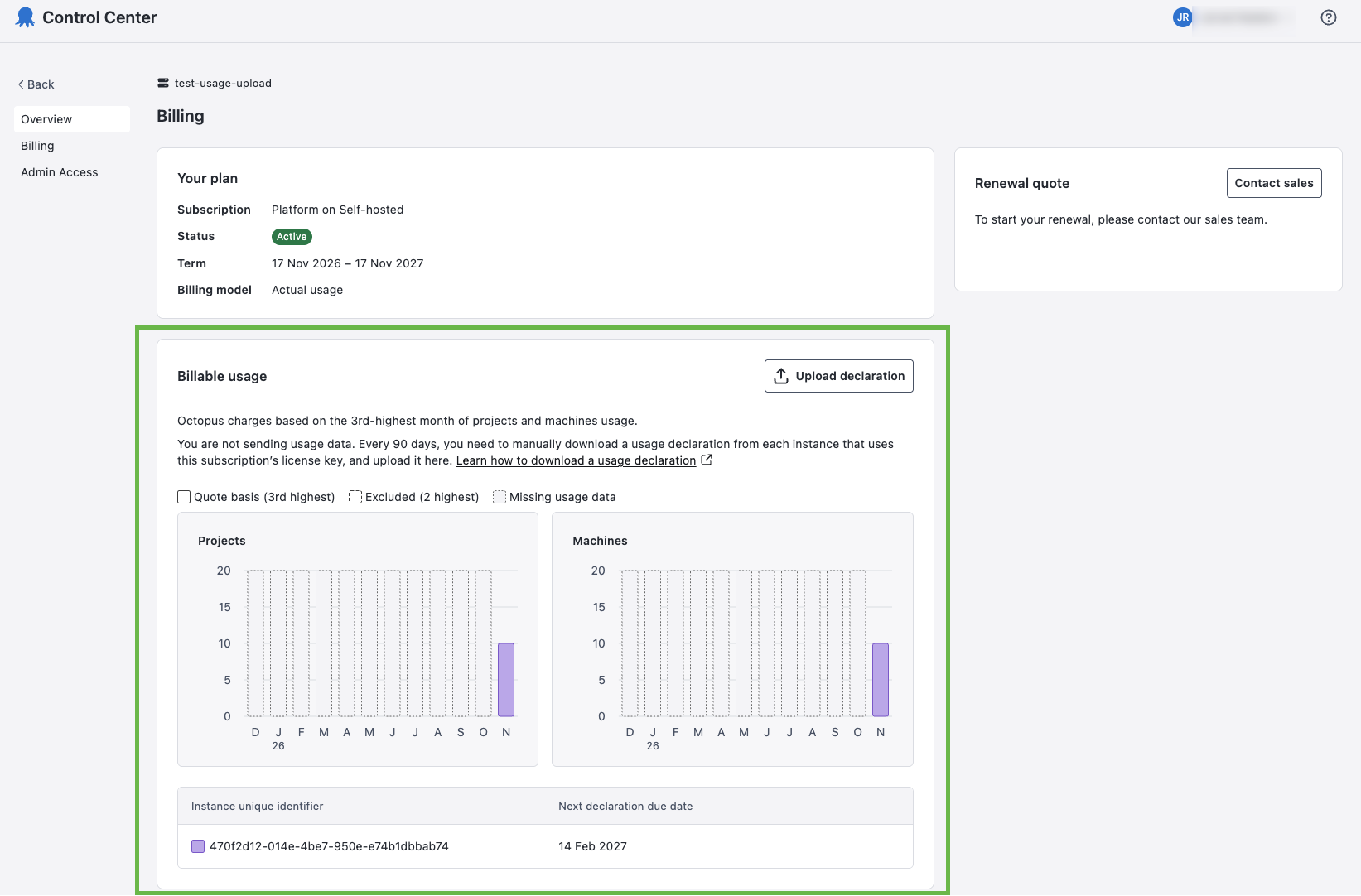
After we receive your usage, it also appears in Control Center. If you have multiple instances, Control Center shows usage aggregated across all of them. Depending on your plan, we may also show which usage we’re tracking for your renewal.
Your instance’s usage is calculated on a schedule, so it may not reflect your current usage.
Usage declarations
Subscriptions on plans that require usage uploads must provide usage declarations to ensure accurate billing.
Octopus Cloud handles this for you, so you don’t need to upload usage declarations.
On Octopus Server, you can tell whether your subscription requires usage declarations from:
- Your contract, which states that you must provide usage, either from an instance that can send it over the internet or manually.
- Your license XML, which contains a
<UsageDeclarationRequired ExpiryDays="X">node indicating that usage declarations are required and specifying the expiry period for each declaration. - Your Octopus instance, which notifies you in Octopus when a usage declaration is required.
You can always find when your next usage declaration is due in Control Center. We’ll also let you know in Octopus, with a banner notification, at least 30 days before it’s due.
If you don’t provide your usage declaration by the due date, Octopus may restrict you from adding billable units to your subscription.
Send usage declarations automatically
If your Octopus Server can connect to Octopus over the internet, it can send usage declarations for you, so you don’t need to download and upload them manually. This is the recommended approach because it keeps your usage declarations up to date.
To send usage declarations automatically:
- In the Octopus Web Portal, select Configuration > Telemetry.
- Set Telemetry level to Standard (recommended).
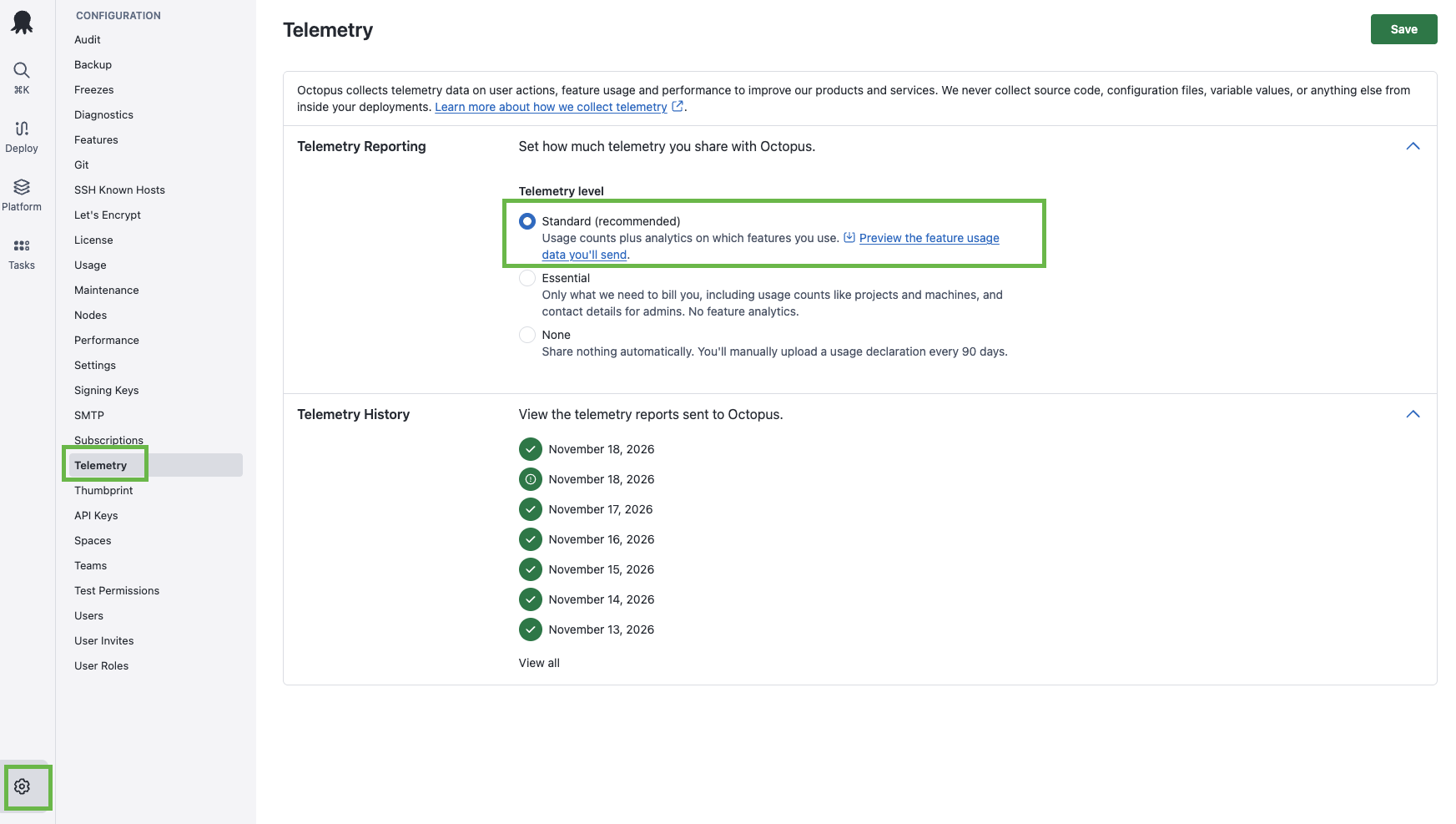
| Telemetry level | What it sends |
|---|---|
| Standard (recommended) | Sends usage declarations and telemetry that helps us develop the product and diagnose issues. |
| Essential | Sends just the telemetry essential for billing your subscription. |
| None | Sends nothing automatically. Upload a usage declaration manually instead, or send telemetry from the Octopus Web Portal. Use this level if your instance isn’t connected to the internet or you don’t want to share information automatically. |
Octopus records your telemetry history in the task log, which you can open from the Telemetry page or from Tasks.
Upload a usage declaration manually
If your instance can’t send usage declarations automatically, download the declaration from Octopus Server, upload it to Octopus, and apply the receipt you get back.
To upload a usage declaration manually:
- In the Octopus Web Portal, select Configuration > Usage.
- Select Get your usage declaration.
- Upload the usage declaration on the Usage Declaration Public Upload page.
- Return to the Octopus (product) Usage > Usage Declaration modal. In the modal, paste the receipt from the upload page.
- Select Complete declaration.
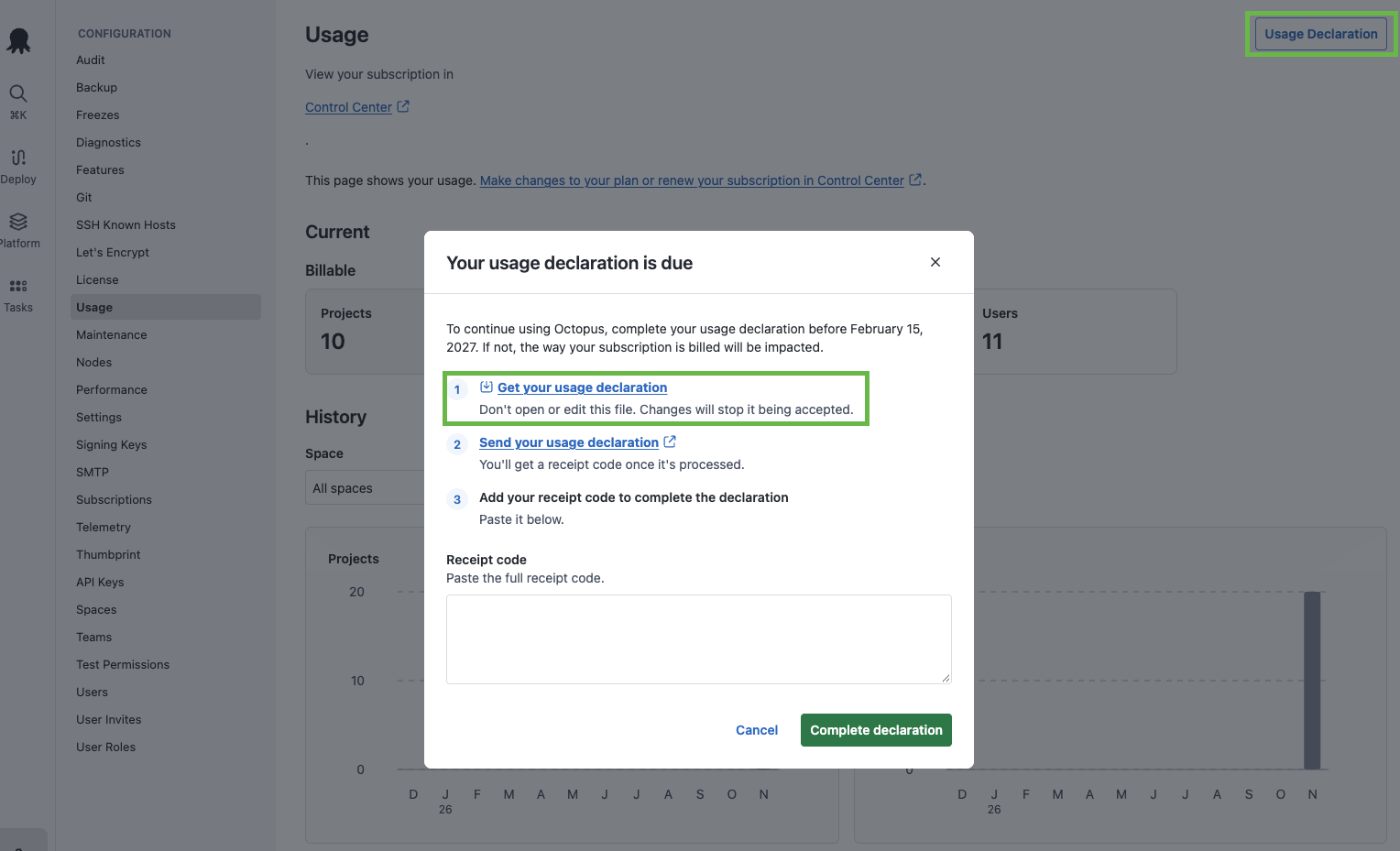
After you apply the receipt, your instance continues as normal until the next usage declaration is required. ExpiryDays in your license XML sets the time between usage declarations.
If you can’t download your usage declaration or apply the receipt, contact our support team.
FAQ
I’m not sure if I need to provide a usage declaration.
We notify you in Octopus when a usage declaration is required. You can also check your contract or license XML. If you’re still unsure, contact our support team or our sales team.
I don’t think my usage is accurate, or I’m not clear on how it’s calculated.
Usage is calculated on a schedule and may be aggregated across instances that share a license. See Review your subscription’s usage. If you still have questions, contact our support team.
Version notes
- Usage declarations, including automatic and manual usage declaration uploads, are available from Octopus Server
2027..0